Closed card Sorting & Information Architecture
At the project’s start, we received a requirement document from internal stakeholders. Based on this document and user research, we identified key categories and conducted a closed card sorting exercise.
-Users consistently grouped Blogs, Forums, and Knowledge Base under an umbrella of Learning & Discussions, showing the overlap in how they perceive these sections.
-Repository & Projects were often linked together, as users viewed them as work-related resources.
-Some participants created new groupings like "Quick Access", where they placed recent forum discussions and frequently accessed repository files, indicating a need for a dashboard-style homepage.
-Task Management elements (Tasks, Assignees, Status, etc.) were grouped separately from Project Resources (Links, Documents, Utilization, etc.), validating our initial separation of the Projects module.
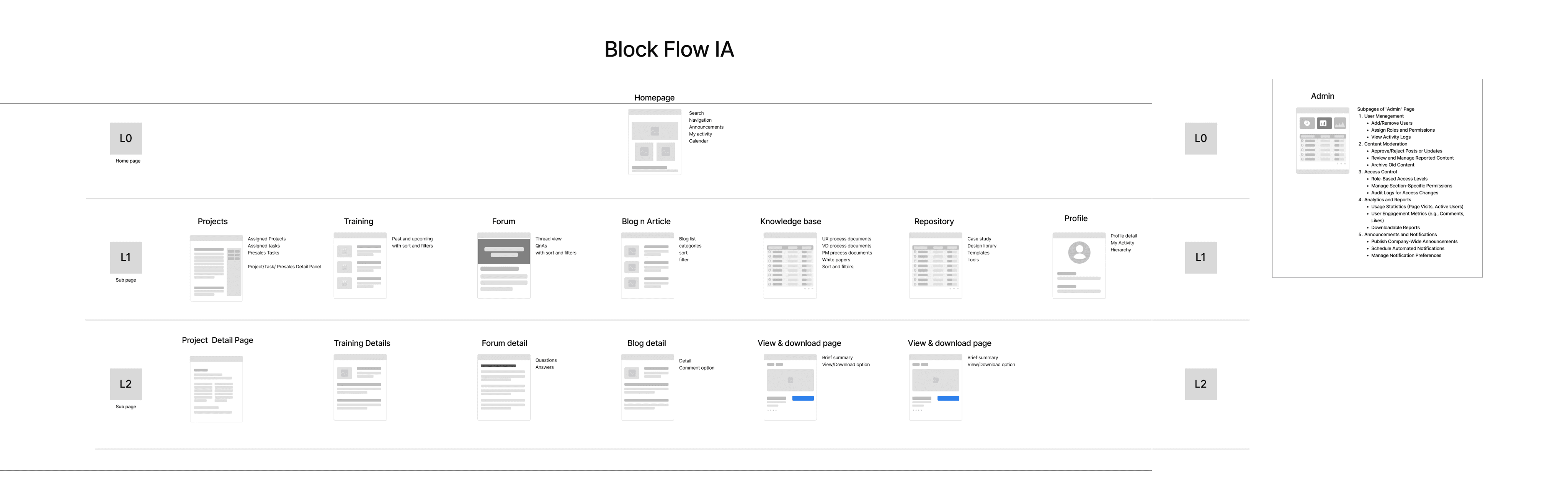
wireframes
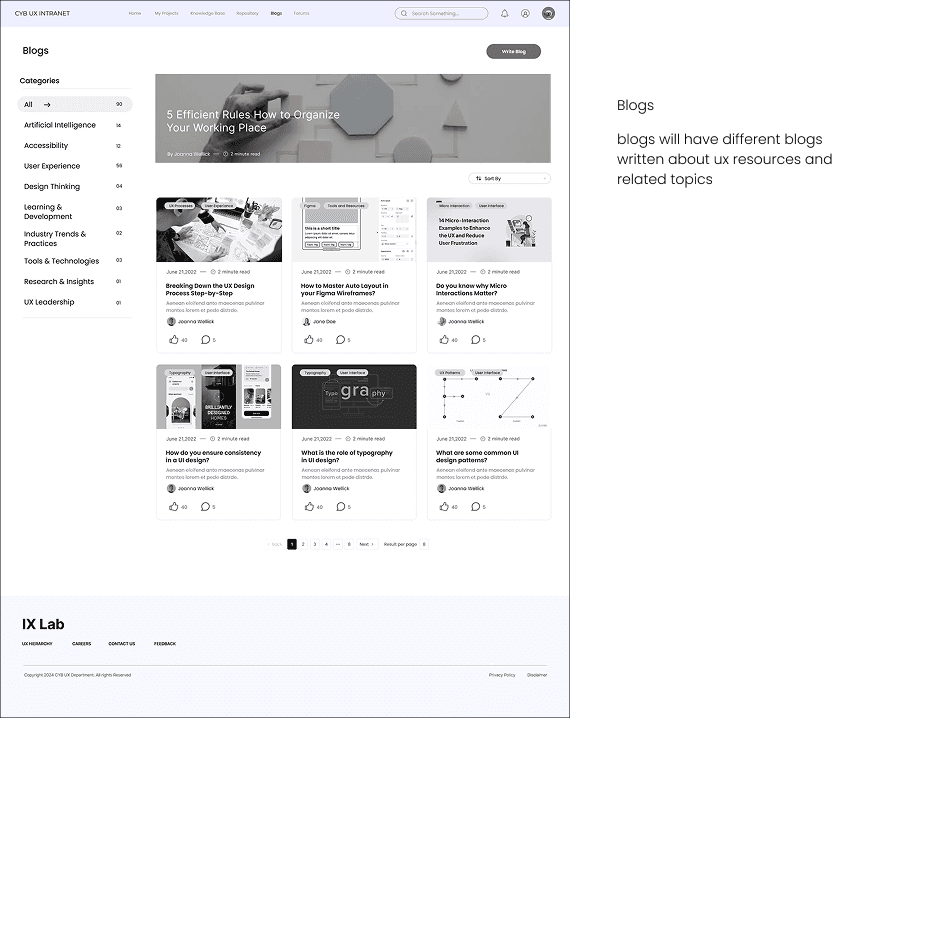
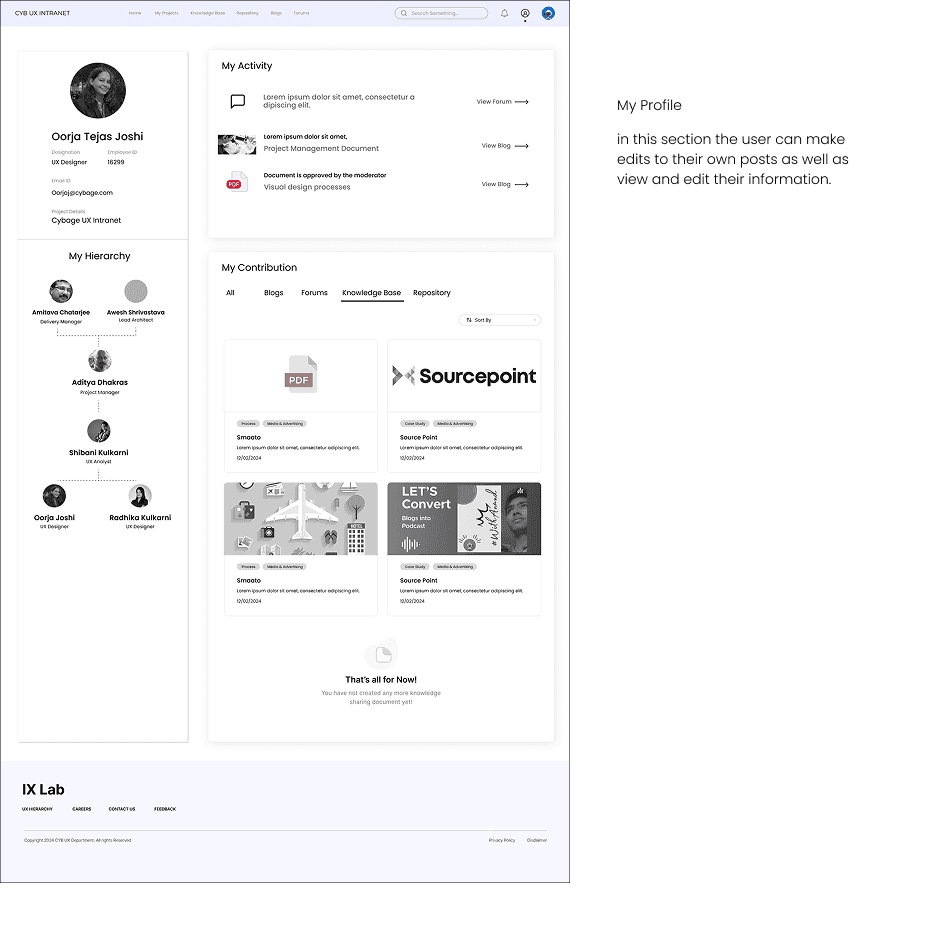
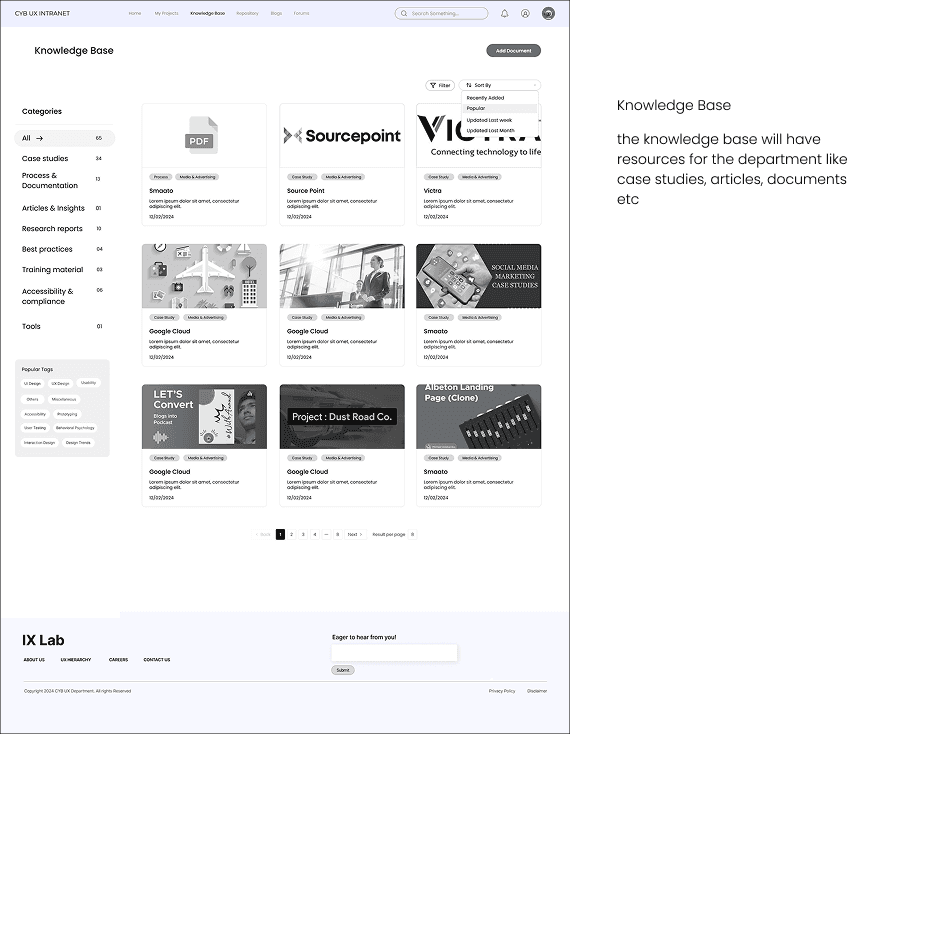
After identifying the information architecture of the intranet we identified the scenarios and created section wise user flows, the sections are divided between us to deliver faster, the sections as follows, Home (Dashboard), Blogs, Forums, Knowledge base, Repository, User profile, we created detail low fidelity wireframe to capture minute details in the flows before creating hi Fi Wireframes
Insights gathered after interviews
Restricted Access to Key Resources
Certain documents, templates, or research findings are locked behind permissions that prevent relevant team members from accessing them.
New employees struggle to onboard due to limited access to essential guides and case studies.
Collaboration Challenges
Frequently need to look for research, case studies, and design tools from other team members.
Managing shared knowledge is inconsistent across the team.
Knowledge Accessibility Issues
Inconsistent formats and structures across UX research, case studies, and design guidelines.
Difficulty in understanding documents due to lack of summaries, highlights, or key takeaways.
Limited Cross-Team Visibility
UX, visual design, and development teams operate in silos, limiting knowledge exchange.
Best practices and learnings from one team are not easily accessible to others.
Data Storage & Retrieval
Users feel that having all data in one place would help.
Some use personal notes or drafts in email to store important documents due to a lack of a dedicated system.
Identified User Profiles
The research made it evident how different users would use the intranet differently.
To cater to this, I categorized them into three user profiles based on their goals and tasks
Profile 1, Consumer
Junior resources or trainees will have limited rights, including read-only access to essential resources such as the Design System, Component Library, Case Studies, and Documentation.
For contributing or making updates, they will need to reach out to their line hierarchy for approval or necessary permissions.
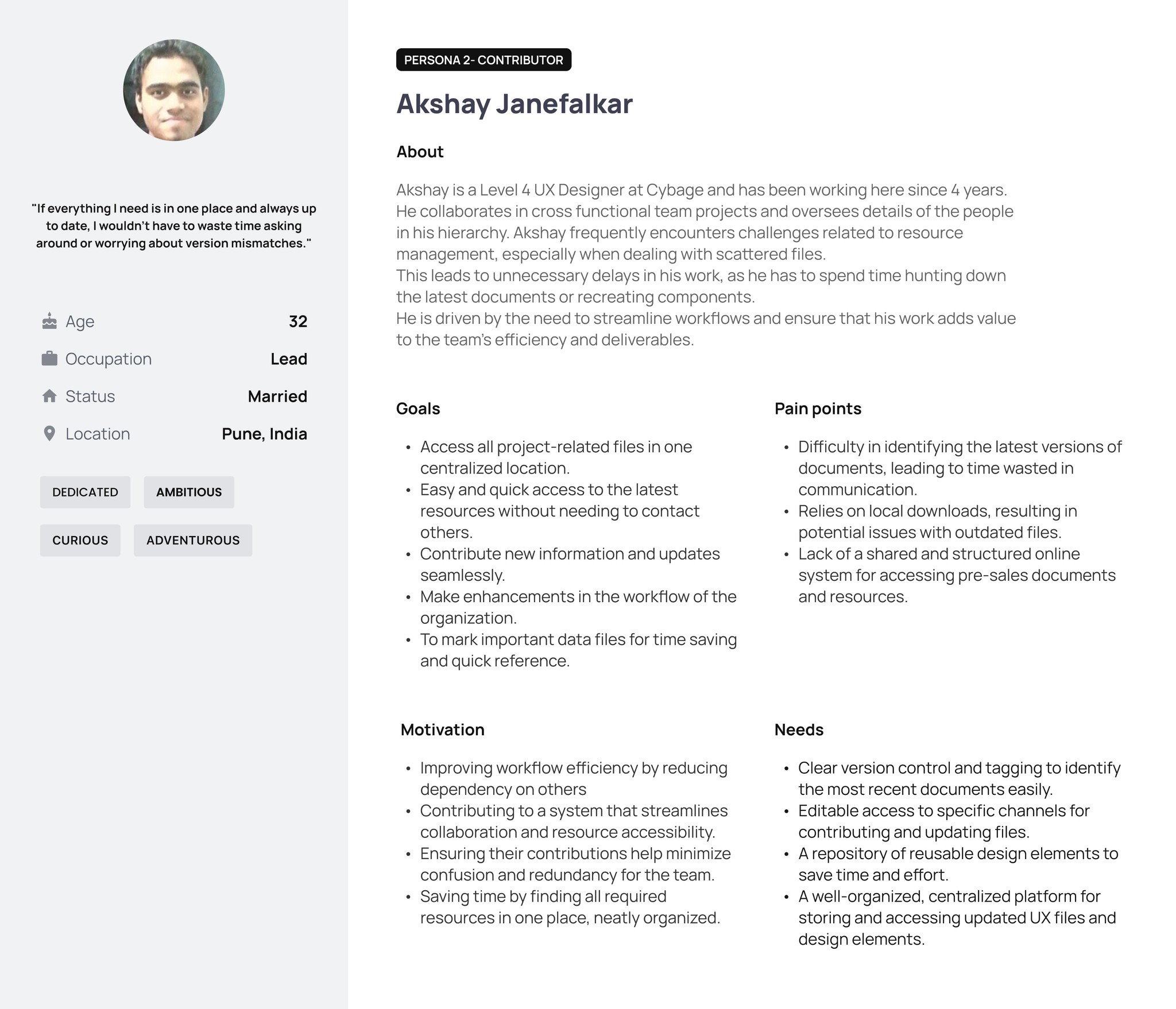
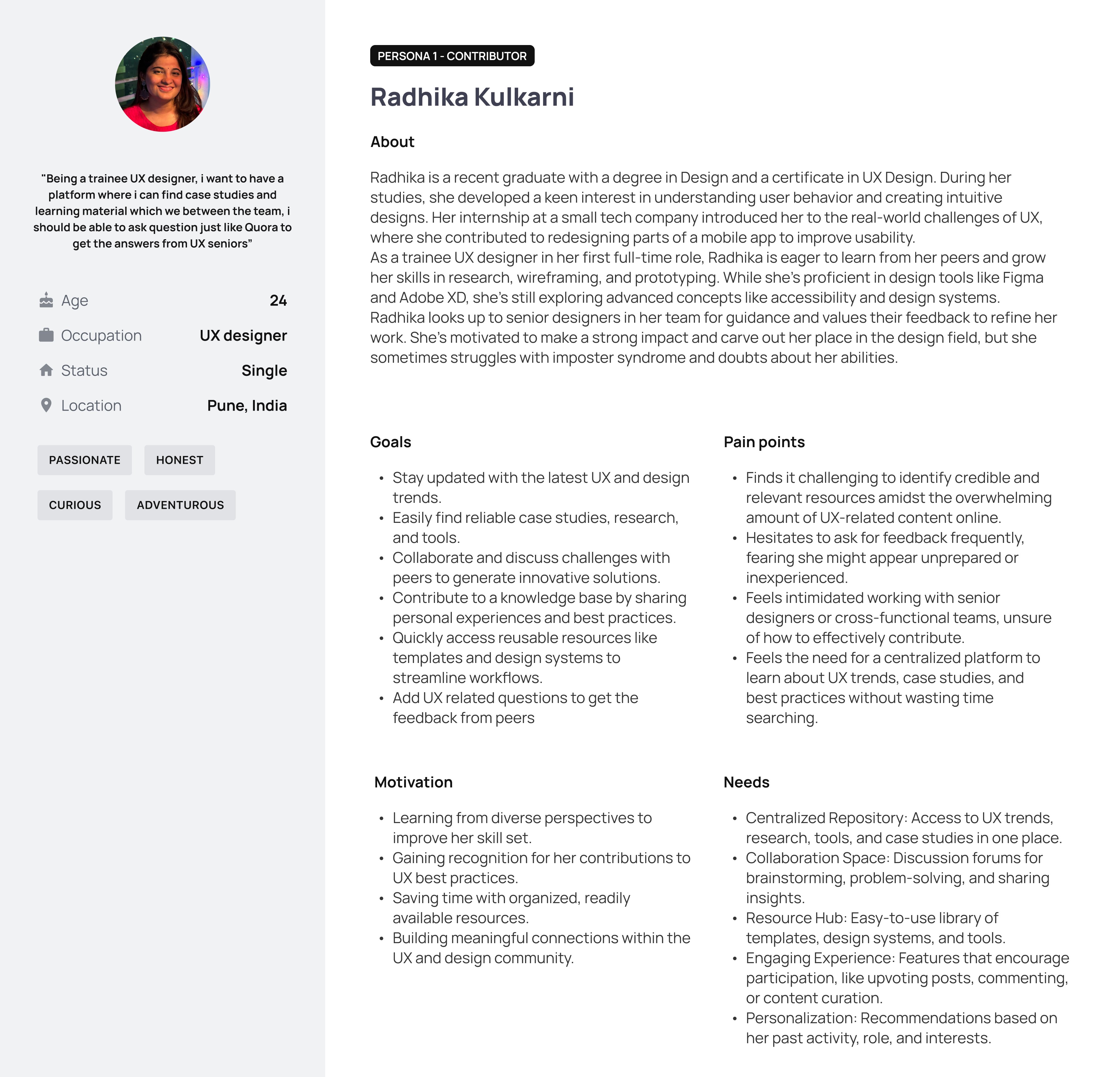
Profile 2, Contributor
Contributor Role: Contributors will have additional rights beyond consumers, allowing them to review and upload files in key areas such as the Knowledge Base, Repository, and Template Creation. This enables them to actively contribute to the platform while maintaining content integrity.
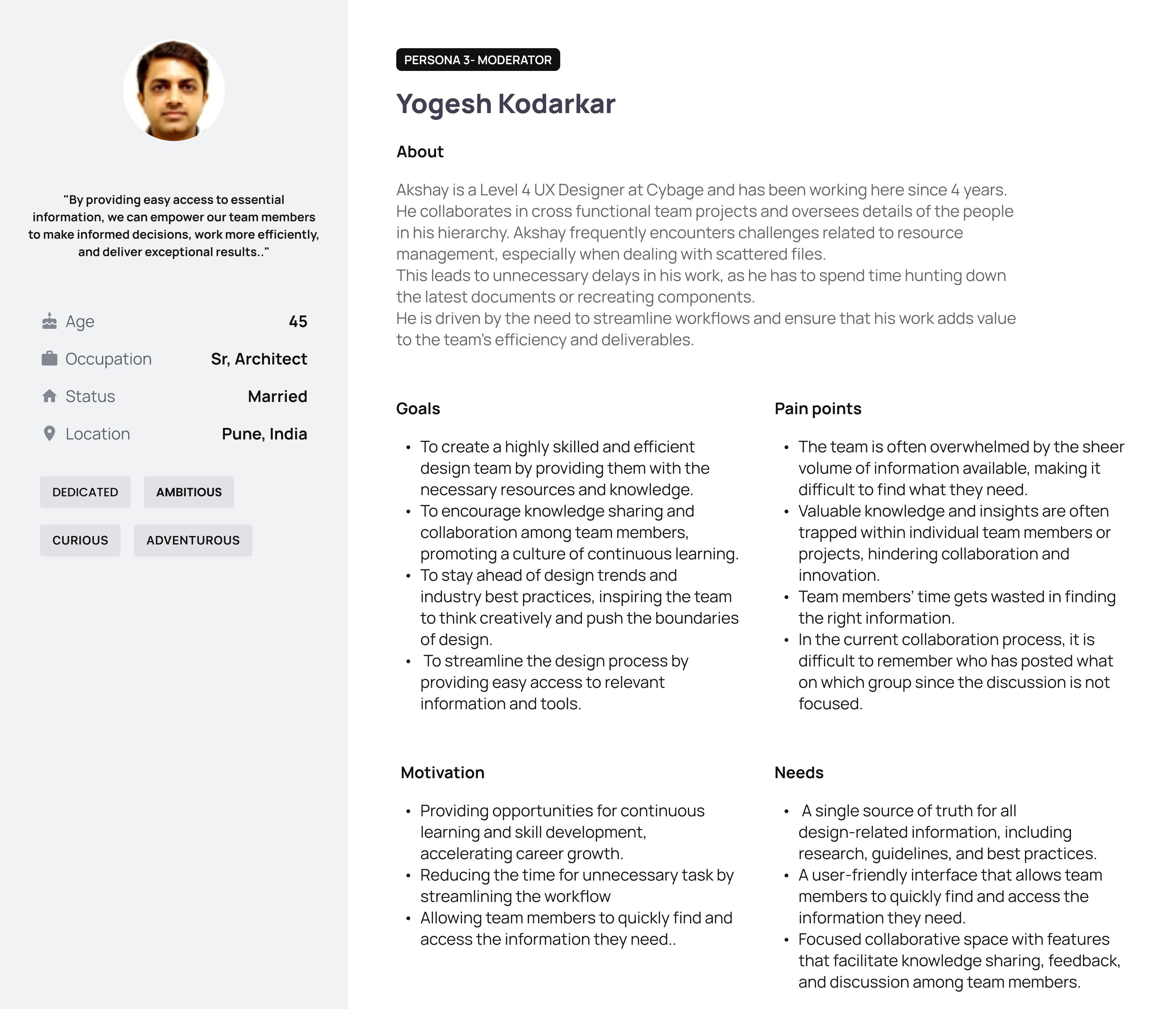
Profile 3, Moderator
Moderator Role: Moderators can approve documents, blogs, and forums uploaded by contributors. They also have rights for task assignment and allocation to streamline workflows.
Problem
How might we create an intranet that centralizes past project data and facilitates seamless collaboration for a remote and expanding design team?
How might we design an intuitive and accessible platform that enhances knowledge sharing and teamwork for remote and in-office members?
How might we ensure that the intranet integrates smoothly into existing workflows while addressing the limitations of Microsoft Teams?
User Research - Quantitative to validate the need of platform
We conducted a short survey to verify and understand if users really need a different team level intranet as most of the team members are already using office 365 and Microsoft teams accounts to collaborate
Sample Size - 70 Users
User wants to have Quick access to repository
80%
knowledge sharing and communication platform
75%
Easy access to trainings
and would like to
receive project updates
65%
Personalize Content, dashboard, Blogs, discussion forum
85%
Search (Quick search to find resources, people, and information)
They would like to have knowledge sharing and communication platform
User shared that they would like to Easy access to trainings ad would like to receive project updates
Overview
The design team faces significant challenges in seamless collaboration and knowledge sharing, as 50% of the team works remotely on a permanent basis. The current tools, such as Microsoft Teams, are primarily designed for communication but fall short in effectively storing, organizing, and retrieving past project data.
With the team expanding and diversifying, there is an increasing need for a centralized platform that not only fosters efficient collaboration but also ensures knowledge retention and easy accessibility to past projects, insights, and design decisions. This platform will serve as a single source of truth, enabling the team to work more effectively, reduce redundancy, and enhance overall productivity in a hybrid work environment.
My Role & Team
UX Designer at Cybage software
Team
Oorja Joshi - UX designer
Radhika Kulkarni - UX Designer
Shibani Kulkarni - UX Analyst
My Responsibilities
Requirement gathering | Primary User Research | Data Gathering | Low Fi- High Fi Wireframe | Prototyping
Duration
December 2024 - Ongoing
User Research - Qualitative- User Interviews
To identify the need of the users we decided to gather a qualitative data based on the identified user groups, such as Manager, Employee and Head of the department, we conducted interviews with 5 users
2 Juniors Member , 1 Senior Team Member , 1 Project Manager, 1 Department Head
Departmental Intranet
Centralized platform that enables efficient collaboration, knowledge retention, and accessibility of historical data.
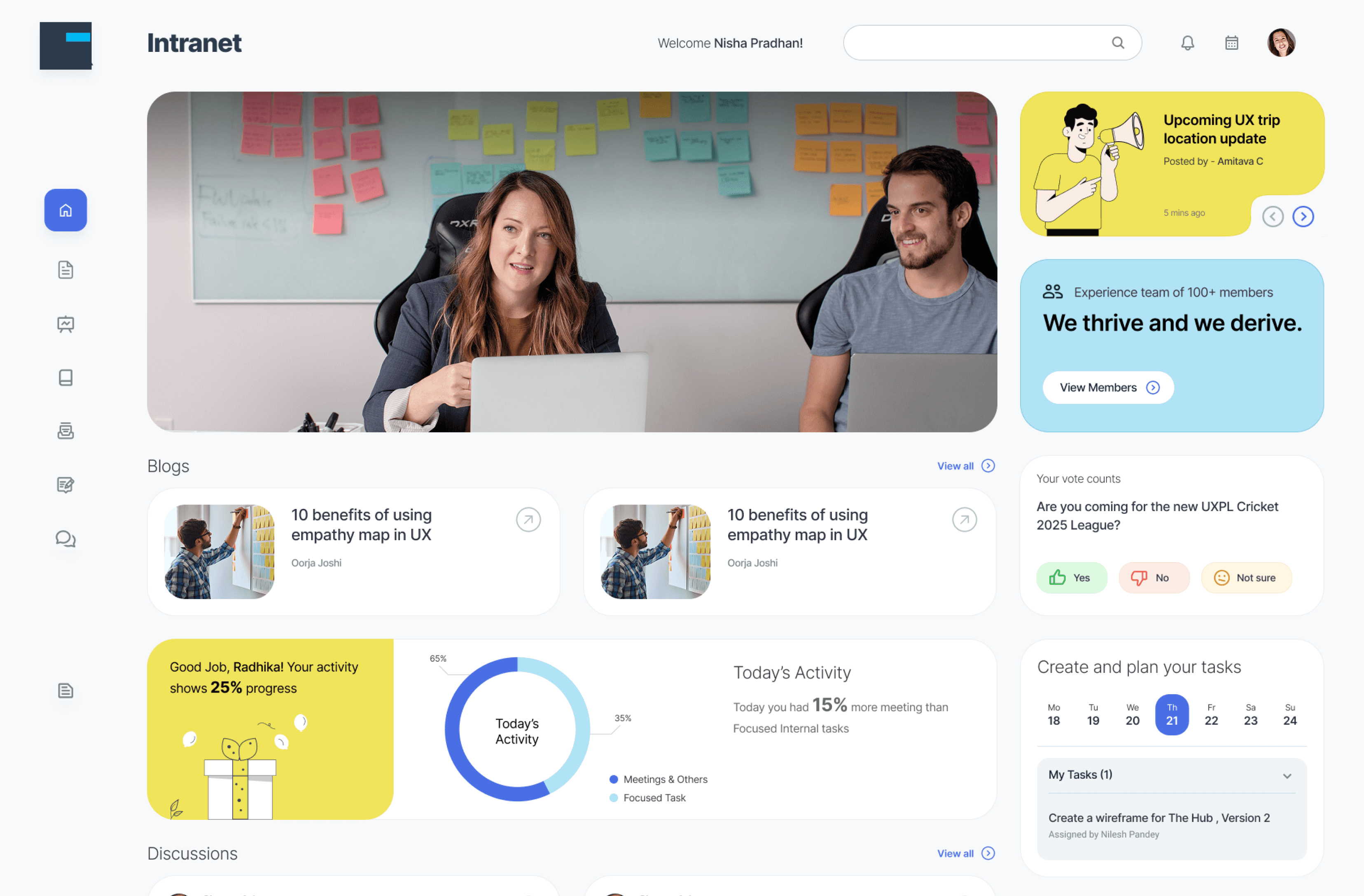
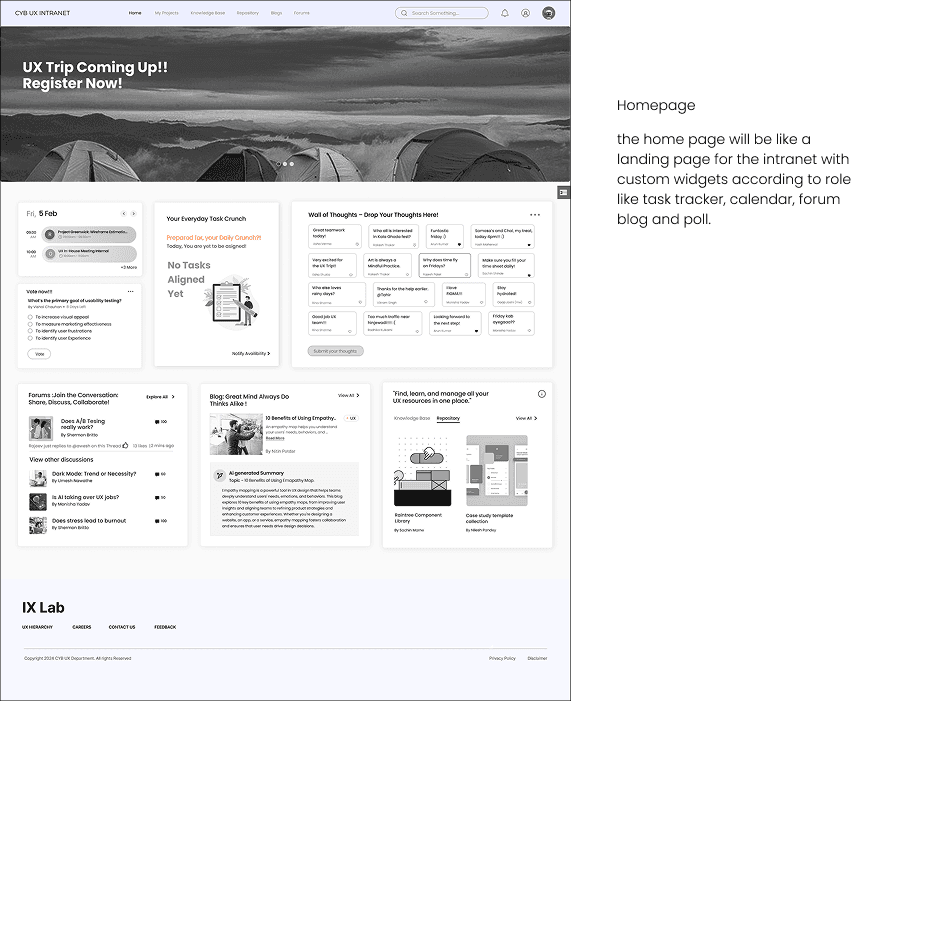
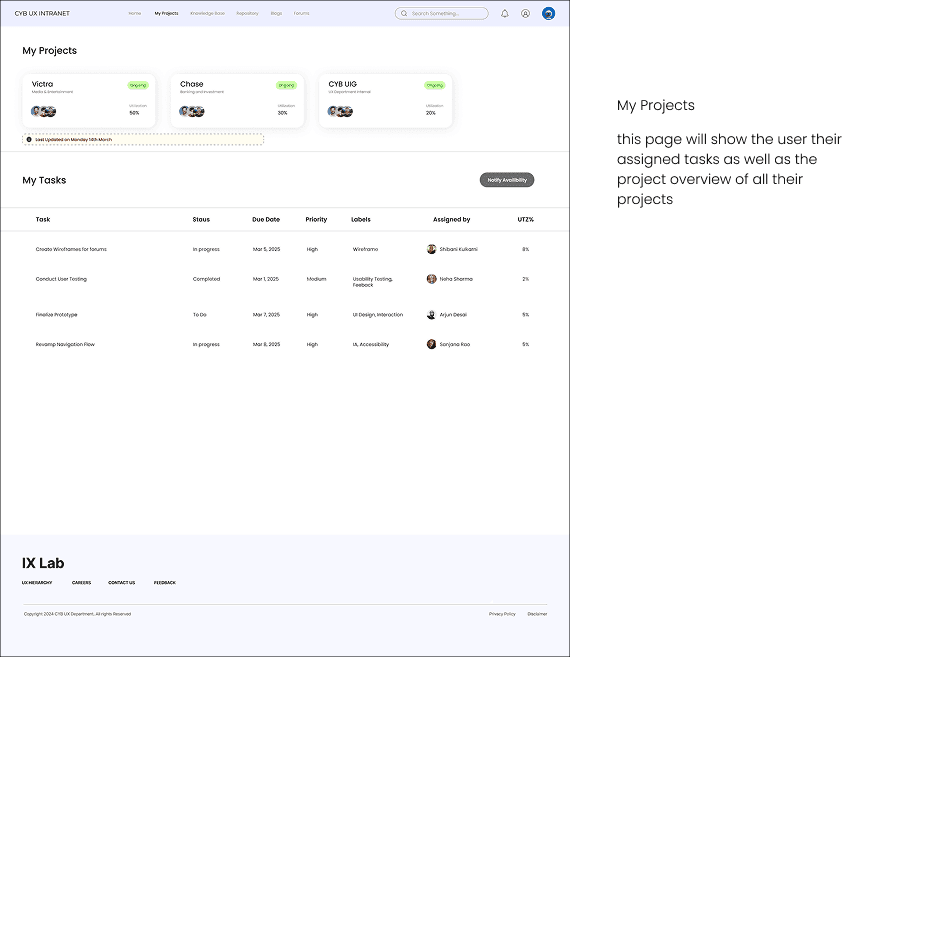
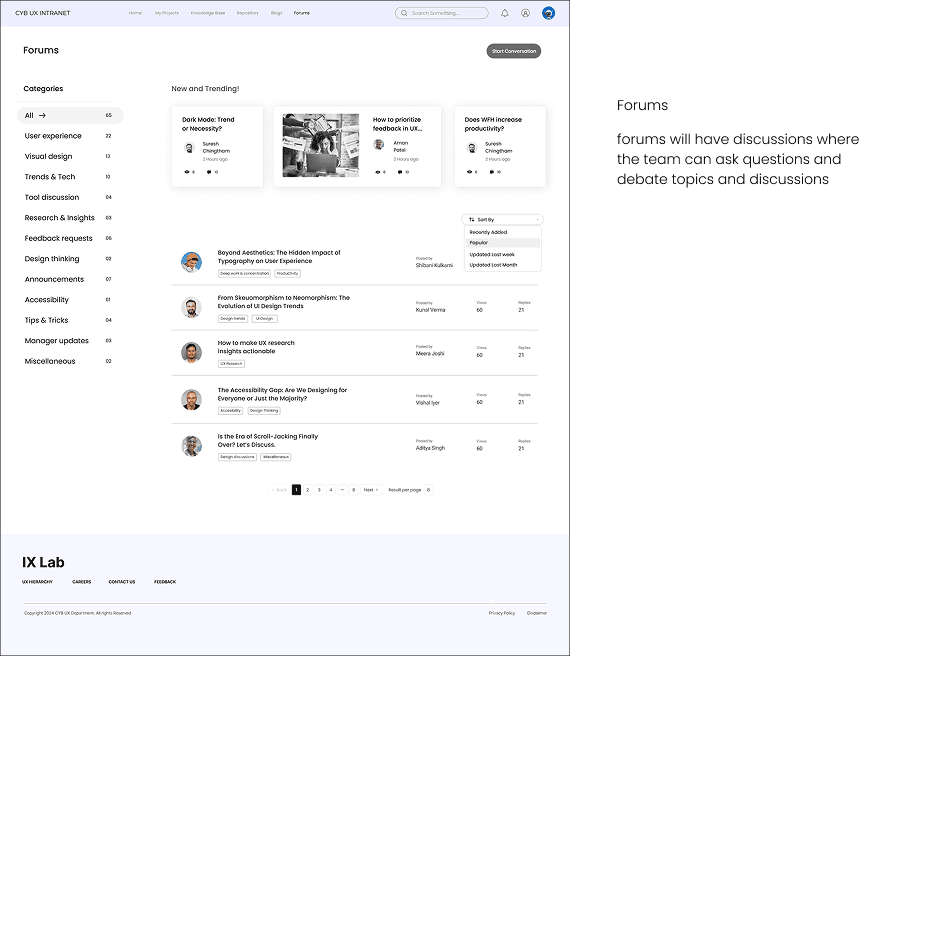
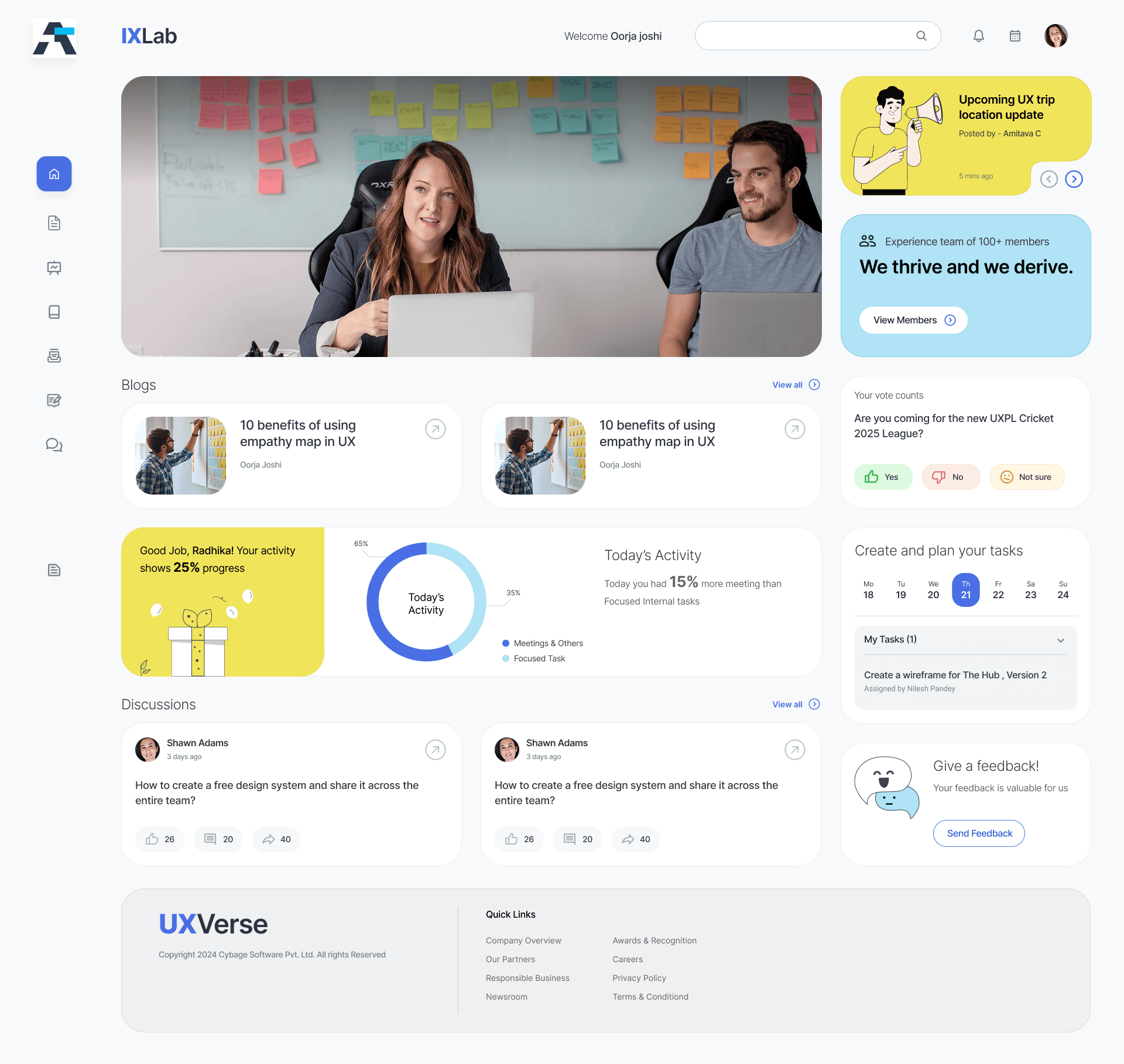
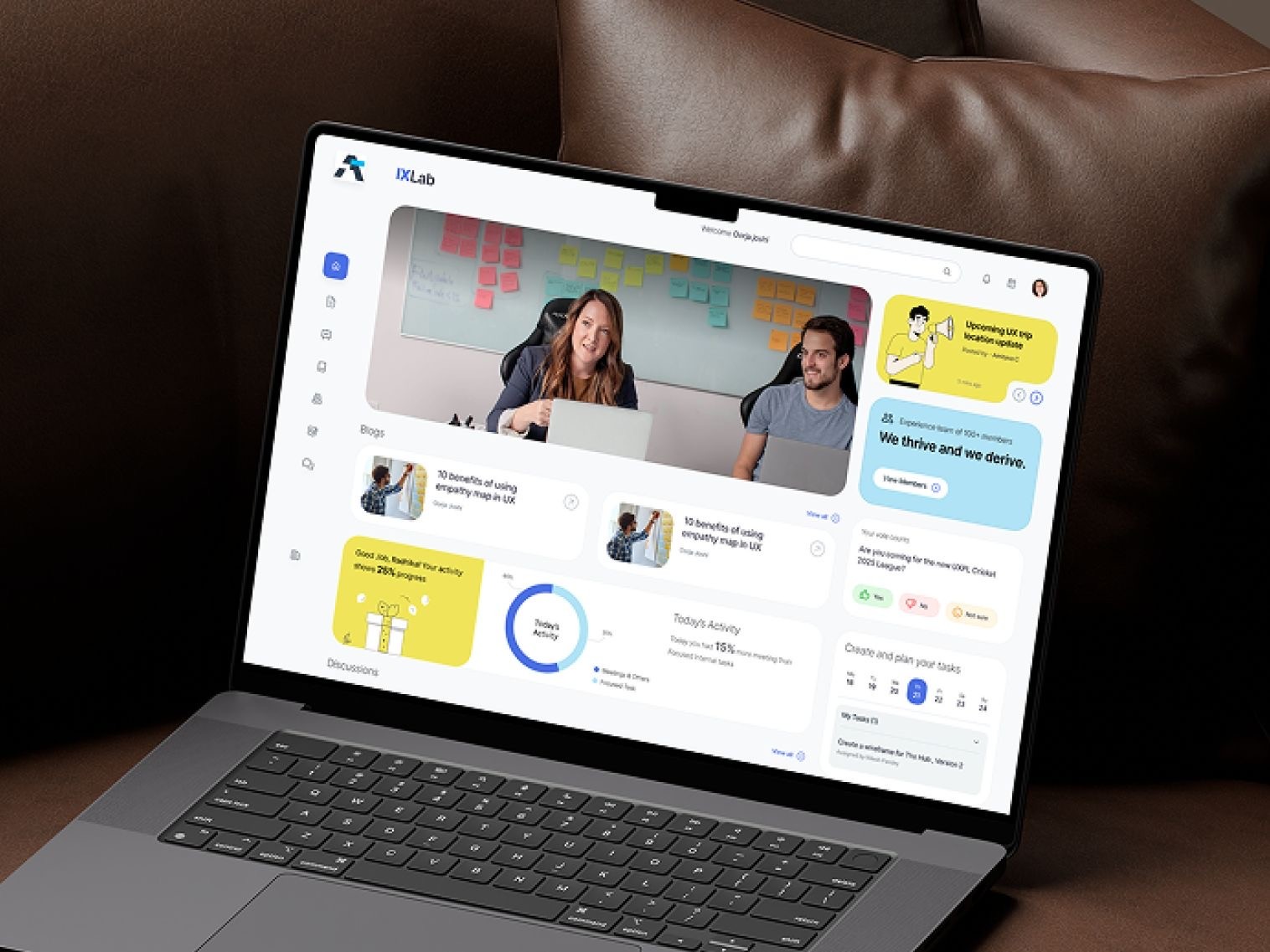
Final UI Design (a work in progress)
The UI design for the intranet is under development, but as of now the homepage looks like this! :)